Your First 15 Minutes: A Quick Checklist to Get Set Up
Welcome. Here is a simple checklist you can finish in about 15 minutes. Doing these tasks in order gives you the fastest start, raises your OES (Overseas Employment Score) quickly, and makes you visible to employers.
- Sign in and confirm your contact details. Make sure your name, mobile number, and email address are correct. Cirrus and employers will use these to reach you.
- Install the portal on your phone. See Installing the portal on your phone. This earns you 15 points and means you never miss a notification.
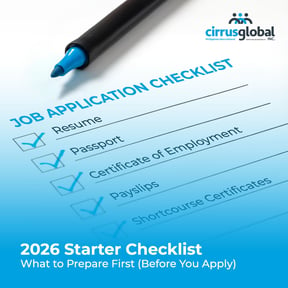
- Upload your Resume. If you do not have one, you can upload a clear photo of your printed resume — the portal will read it for you.
- Upload your Passport. A clear photo of the page with your photo and details is enough.
- Upload your NBI Clearance. This is required for almost every overseas job. Uploading it also earns you points toward your OES score.
- Take the Skills Snapshot. It only takes a few minutes and earns you 50 points.
- (If you have not yet applied) Browse jobs and apply to your first one. Your first job application earns you 50 points and a Go-Getter badge.
- Open the Candidate Readiness Kit. The kit is a collection of guides and tips to help you prepare for overseas work. Even reading the introduction earns you points and shows employers you are serious.
What happens after the checklist?Tip: You do not need to finish everything in one sitting. Even doing the first 3 items makes a big difference. Come back the next day and do the rest.
Once you have done these tasks, your OES score will start climbing and your home screen will show Next Best Tasks — small actions that grow your score and your chances of getting hired.
Where to find each task- Resume → Documents page
- Passport, NBI Clearance → Documents page
- Skills Snapshot → Profile page
- Browse jobs → Applications page
- Candidate Readiness Kit → Profile page
- Help → Help Center (always available from the menu)
Open the Help Center from the menu and search for what you need. If you still cannot find an answer, contact support — see Contacting Cirrus support.
You've got this — take it one task at a time.